
Did you know that data tape storage can securely preserve your information for up to 30 years? This surprising longevity outperforms standard hard drives that typically last only 3-7 years in active use.
Tape storage remains very relevant in modern IT infrastructures, despite its seemingly outdated nature. LTO data tape provides unmatched cost-efficiency for long-term storage with impressive capacity.
Current LTO-9 tapes store up to 18 TB of native data (45 TB when compressed), and projections show capacity reaching 144 TB by 2030. Businesses looking to manage large volumes of information without breaking the budget will find data tape backup a smart choice.
Data tape serves as a magnetic storage medium that delivers the lowest cost per terabyte compared to disk-based systems. The scalability of tape libraries matches your business’s growth; you can add cartridges and drives as needed without expensive infrastructure changes. Companies seeking reliable data tape recovery options and resilient storage solutions can find detailed options from vendors like Big Data Supply.
This piece will explore how you can select the right tape media for your IT operations, compare it with alternative storage methods, and learn best practices to maximize your investment.
Understanding Data Tape Media and Its Role in IT
Data tape technology works through a simple yet clever mechanism. Magnetic tape cartridges hold hundreds of meters of half-inch (12.65 mm) wide tape that stores data in sequence, one file after another. Hard drives can access information randomly, but tape drives need to wind tape between reels to read specific data points.
This means longer access times, but once positioned correctly, the data transfer rates match many hard disk drives at 360 MB/s.
What Is Data Tape And How Does It Work?
Modern tape systems use a precise read/write head that sits between servo bands on the tape. The design includes four data bands nestled between five servo bands to ensure accuracy. The system checks data automatically after writing to confirm accurate recording.
This careful engineering helps tapes achieve excellent bit-error rates, LTO-7 and LTO-8 tapes have a BER of 1 × 10^-19, which beats typical HDDs (1 × 10^-15).
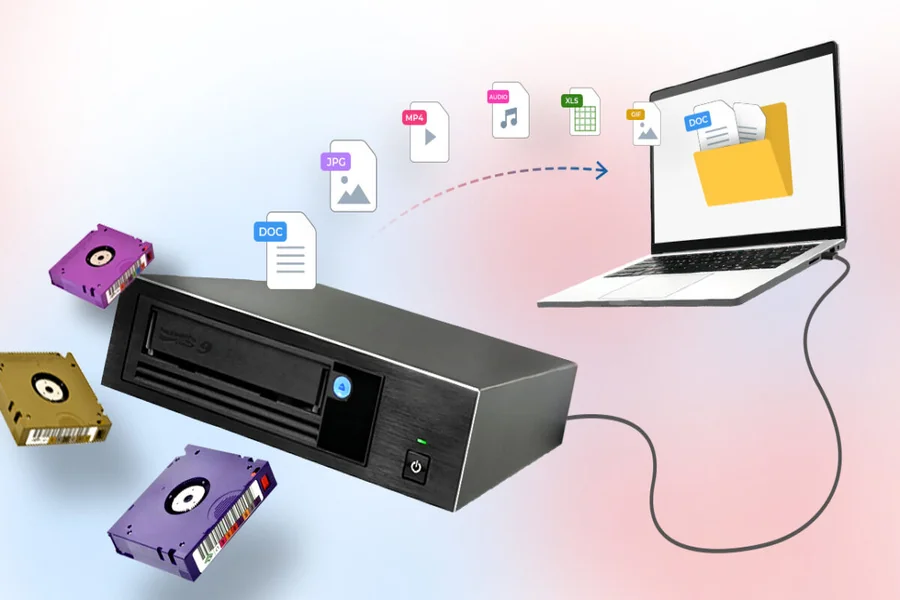
Tape drives connect to computers through several interfaces like SCSI, Fiber Channel, SATA, USB, and others. Large organizations often use tape libraries or autoloaders that handle multiple cartridges automatically.
Types Of Data Tape Formats: LTO, DLT, AIT
The market has three dominant tape formats:
- Linear Tape-Open (LTO): This format leads the market with 91.18% of drive and 83.58% of tape cartridge revenues. IBM, HP, and Quantum developed LTO as an open standard with a clear upgrade path. LTO-9, the latest version, holds 18TB of native data (45TB compressed).
- Digital Linear Tape (DLT): Digital Equipment Corporation created this format, which Quantum now manages. While it’s older technology, DLT-S tapes can store up to 800GB.
- Advanced Intelligent Tape (AIT): Sony’s format comes with built-in flash memory for tape directories, which speeds up access. AIT-5 tapes store 400GB and transfer data at 24MB/s.
Use Cases: Backup, Archiving, And Compliance
Data tape plays three key roles in modern IT systems:
- Backup: Many organizations use a layered approach. They back up to disk for quick access, archive to tape for compliance, and copy to the cloud for disaster recovery. Tapes create an “air gap” that protects data from ransomware and cyber attacks.
- Long-term archiving: Tapes can last 30 years when stored properly, making them perfect for preserving data. The Linear Tape File System (LTFS) has made tapes easier to use, similar to external drives.
- Compliance and governance: Many industries must keep data for specific periods. Since LTO-3, tapes have included write-once-read-many (WORM) capability, which prevents data deletion, crucial for legal records.
- Businesses looking for reliable data tape media can find various options from vendors like Big Data Supply across all major formats.
Key Factors for Evaluating Reliable Tape Media
Picking the right tape media means you need to know the technical specs that matter. Here’s what makes some tapes better than others for your critical IT operations.
LTO Data Tape Generations And Compatibility
LTO technology has evolved by leaps and bounds. Each new generation brings better capacity and faster speeds:
- LTO-9: 18TB native/45TB compressed capacity with 400MB/s transfer rate
- LTO-8: 12TB native/30TB compressed capacity with 360MB/s transfer rate
- LTO-7: 6TB native/15TB compressed capacity with 300MB/s transfer rate
- LTO-6: 2.5TB native/6.25TB compressed capacity with 160MB/s transfer rate
You need to think about backward compatibility. LTO-7 drives can read tapes from two generations back (LTO-5) and write to the previous generation (LTO-6). LTO-8 and newer drives can only read one generation back.
Unrecoverable Bit Error Rate (UBER) and ECC support
UBER shows how likely you are to hit uncorrectable errors when reading tapes. The new LTO-9 technology has an impressive 10^-20 UBER rating. This beats equivalent HDDs by five orders of magnitude.
LTO systems achieve this reliability through advanced Error Correction Code (ECC) technology. The system uses orthogonal interleaved two-dimensional Reed-Solomon error correction codes across 32 channels. The “Read-While-Write” feature checks data right after writing it and automatically rewrites any suspicious data.
Expected Lifespan: 15–30 Years Under Optimal Conditions
LTO tapes typically last 15-30 years in archive storage. The actual life span depends on how you use and store them. These tapes can handle between 200 and 364 full file passes before they start to degrade.
Companies looking for long-term storage solutions can check out vendors like Big Data Supply for tapes rated for maximum life.
Environmental Requirements: Temperature And Humidity Control
Storage conditions play a huge role in tape reliability.
Your storage environment should have:
- Temperature: 16-25°C (60-77°F)
- Relative humidity: 20-50% with no condensation
- Maximum temperature change rate: 5°C/hour (9°F/hour)
- Maximum dew point: 22°C (72°F)
Going outside these ranges can cut your tape’s lifespan. Too much humidity (>70%) makes tapes expand and can lead to fungal growth. Low humidity creates static electricity risks.
Comparing Tape Media with Other Storage Options
Money plays a crucial role in how IT departments choose their storage solutions. Tape storage stands out with several advantages over other options.
Tape Vs Cloud Storage: Cost And Durability
Data tape technology provides unmatched cost benefits for long-term archiving. Studies show tape costs 3-15 times less than cloud storage over nine years. Companies can reduce their ownership costs by up to 86% when they choose tape instead of disk-based solutions.
Cloud services excel at accessibility and geographic redundancy. However, they require monthly payments and might charge extra fees when you retrieve large amounts of data.
Tape storage needs just one upfront payment; you buy it once and store data for decades.
LTO media that’s managed properly can last up to 30 years. This is a big deal as it means that tape outlasts cloud storage, which depends on provider stability.
Tape Vs Disk: Energy Efficiency And Security
Tape storage shows remarkable energy savings. It uses up to 1,500 times less power than similar disk arrays.
The system only needs electricity during read/write operations. A single petabyte stored on tape generates just 15.6 tons of CO2 over ten years, while HDD storage produces 66.2 tons.
Tape proves more reliable with superior bit error rates (10^-19) compared to enterprise hard drives (10^-15).
Air-Gapped Protection Against Ransomware
Tape storage’s most valuable feature in today’s threat landscape is its air-gapped capability. Tapes become immune to network-based attacks once they’re ejected and stored offline.
This protection matters because ransomware attacks affect 92% of industries, with average breach costs hitting $5.13 USD million.
Selecting and Managing Tape Media for IT Operations
Your tape storage operations need careful planning. Here are some practical steps to implement them in your IT infrastructure.
Choosing The Right Data Tape Drive And Library
Four key factors will help you pick suitable drives. The first one is capacity; you should pick native capacity instead of compressed figures for realistic estimates. Your drive must maintain streaming motion to prevent excessive wear, so check the transfer rates.
The third factor looks at reliability through Mean Time Between Failure (MTBF) specifications and duty cycles. The final step is finding the sweet spot between performance and your budget.
Tape libraries need room to grow as your storage needs expand. Modern library selection now focuses on features that support Big Data and cloud initiatives.
Implementing Data Tape Backup And Recovery Workflows
You can pick from several rotation strategies for backup scheduling. The Grandfather-Father-Son (GFS) method combines three types of backups: daily incremental (son), weekly full (father), and monthly permanent (grandfather). Small businesses with lower data volumes can benefit from six-tape rotation.
Using Tape Library Management Software For Automation
A good management software gives you central control of your tape environment. You’ll find web-based interfaces in modern systems that let you view offsite inventory, request tapes, and adjust rotation schedules. Some programs keep track of tape drives during mounting, unmounting, and fault conditions.
Best Practices For Labeling, Tracking, And Rotation
- Each tape needs a unique barcode for tracking and quick identification
- Your media needs a climate-controlled environment (16-25°C, 20-50% humidity)
- Test restores help verify your backups regularly
- Documentation should track cleaning schedules and cartridge usage
Conclusion
Data tape storage plays a vital role in modern IT infrastructure. This piece shows how this technology delivers great value despite its age. Very few storage solutions can match tape’s impressive 30-year lifespan and the lowest cost per terabyte in today’s market.
The advantages go way beyond cost savings. LTO-9’s 18TB native capacity (45TB compressed) makes tape perfect for businesses that need to store more data. The sequential storage mechanism delivers excellent data transfer rates once it’s in the right position.
Security is another powerful advantage. The air-gap feature protects your valuable information from ransomware attacks. Your data sits behind a fortress that network-based threats cannot breach.
Tape outperforms alternatives in key areas. Cloud services might be easier to access, but they cost much more over time and don’t last as long as tape. Disk storage uses up to 1,500 times more electricity than similar tape arrays, making it less efficient.
The right implementation needs careful planning. You need to choose the right drives and libraries, create good rotation strategies, and keep proper storage conditions to get the best performance. The quality management software helps automate these processes. Read more wallpostmedia.
Businesses looking at their options will find data tape offers a balanced approach to long-term storage needs.
Data tape shows us why some older technologies stay relevant – they simply work better. Modern storage options have their uses, but tape’s unique mix of affordability, capacity, and security makes it essential in any detailed data management plan