
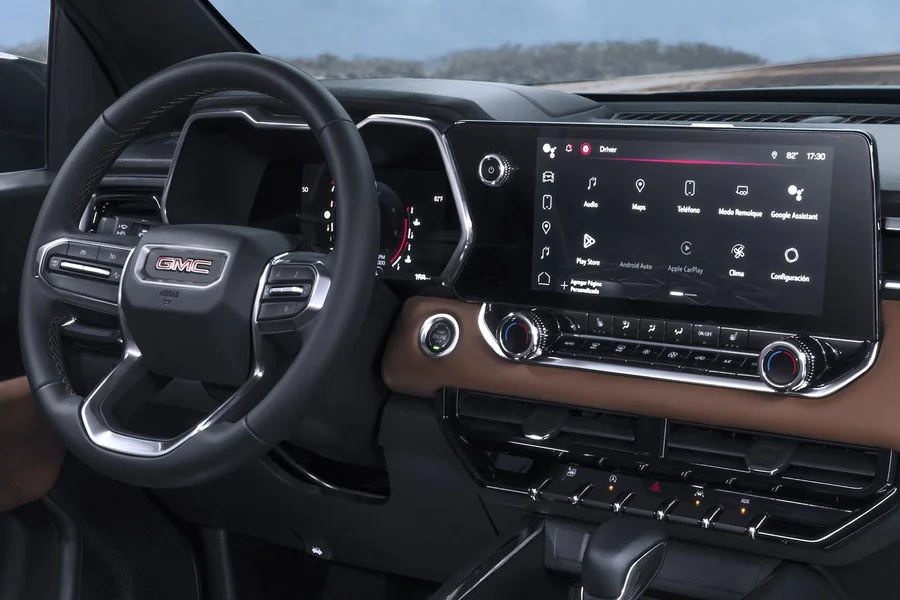
The infotainment system in a branded car serves as the centerpiece for entertainment, navigation, and communication while driving. It provides a seamless connection between the driver and the car’s advanced features. However, like any complex system, it may experience occasional glitches or failures, which require a reboot to restore optimal functionality.
Rebooting the infotainment system of a branded car like the GMC can help resolve issues like freezing, lagging, or unresponsiveness. It is a simple and effective solution that can save both time and effort, which allows drivers to avoid more extensive troubleshooting. But, for instance, how to reboot GMC infotainment system? A few straightforward steps are all it takes to bring the system back to its original performance.
Check for Software Updates
The first step in rebooting an infotainment system is to check if it requires any software updates. Many branded car systems are designed to update automatically, but sometimes manual intervention is necessary. Keeping the software up-to-date ensures that any bugs or performance issues are resolved. So:
- Go to the car’s settings menu.
- Find the system update section.
- Check for available updates and download them.
- Follow the on-screen instructions to install the update.
Once the update is complete, restart the system to see if the issue has been resolved.
Perform a Hard Reboot
If updating the software doesn’t fix the issue, performing a hard reboot may help. A hard reboot forces the system to restart, which clears any temporary glitches that could be affecting performance. This method is effective when the system becomes unresponsive or behaves erratically.
To perform a hard reboot:
- Locate the power button for the infotainment system.
- Press and hold the power button for 10-15 seconds.
- Wait for the system to shut down and restart.
Disconnect and Reconnect the Car Battery
Another step to reboot the infotainment system is disconnecting and reconnecting the car battery. This procedure effectively resets the electrical components, which include the infotainment system. It is especially useful if the system continues to malfunction after a hard reboot.
Follow these steps:
- Turn off the car and open the hood.
- Use a wrench to disconnect the negative terminal of the car battery.
- Wait for about 10 minutes before reconnecting the terminal.
- Start the car and check the infotainment system.
Reset the System to Factory Settings
If all else fails, resetting the system to its factory settings might be the best option. This will return the infotainment system to its original configuration, which removes all personalized settings, apps, and data. It is useful when the system continues to misbehave after all other troubleshooting methods have been tried.
To reset the system:
- Go to the settings menu in the infotainment system.
- Look for the reset or factory reset option.
- Confirm the reset and allow the system to restart.
After a factory reset, the system will be restored to its default settings, and users can start fresh.
Seek Professional Assistance
If none of the above steps resolve the issue, seeking professional help might be necessary. A certified technician can diagnose more complex problems with the infotainment system. They will be able to identify issues that go beyond simple software or hardware malfunctions, which ensures the system functions optimally. Technicians can perform advanced diagnostics and repairs, which saves owners from the frustration of dealing with persistent problems. Hence, always consult the car’s warranty and service agreement before seeking outside assistance.
So, for instance, to the question of ‘how to reboot GMC infotainment system’, it can be said that rebooting a branded car like the GMC’s infotainment system is a simple yet effective way to address performance issues. Be it through software updates, a hard reboot, or a factory reset, these steps can quickly restore functionality. If all else fails, professional help is always available to ensure the system operates smoothly.